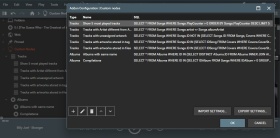
允许您在 MediaMonkey 中创建自定义节点。内置 7 个示例节点,但如果您熟悉 MediaMonkey 数据库结构,则可以创建所需的任何节点。
Translated automatically (see original)Allows you to create custom nodes within MediaMonkey. 7 sample nodes are included, but you can create whatever nodes you want assuming you familiarize yourself with the MediaMonkey database structure.
Hide original
By
Ludek
提交者 rusty
更新 30/12/2025
版本历史/详细信息
- 版本:
- 1.1.5
- 更新:
- 30/12/2025
- Size:
- 6.36 KB
- 适用于:
- Media Monkey 5
- 变化:
Version 1.1.5 adds a UI to save custom queries
管理 MediaMonkey 5 的播放统计数据
“管理播放统计”是一款 MediaMonkey 5 插件(基于Bex开发的 Add/Remove Playstat MM4 脚本),旨在实现对播放统计信息的精确手动管理,包括播放历史记录(“已播放”表)、播放计数器和上次播放日期。它提供了一些标准 MM5 用户界面无法涵盖的内置工具,例如从第三方播放器导入播放历史记录、更正无效时间戳、撤销意外播放或执行批量统计信息清理。
主要特点
添加
立即添加一次播放,添加时间戳:单击一下即可立即记录一个带有当前时间戳的播放条目,并增加所选曲目的播放计数器。
添加一个播放时间戳 X...:为一个或多个音轨分配自定义时间戳。支持起始(向前)和结束(向后)计算锚点,以便根据音轨时长按顺序排列音轨。
添加播放记录...:为单首曲目在指定的日期/时间范围内添加多个播放历史记录条目。包含预览功能、智能锚定和容量检查,以防止播放间隔过长。
消除
删除播放记录...:在可勾选列表中显示单个曲目的所有播放记录,以便有针对性地删除,并可选择自动重新对齐播放计数器和上次播放日期。
删除指定时间段内的所有播放记录:批量删除指定时间段内选定曲目或整个音乐库的播放记录。提供实时预览反馈和两步确认对话框,防止意外数据丢失。
调整
仅调整播放计数器...:修改播放计数器值(设置、增加、减少或重新同步以匹配实际历史计数),而不更改 LastPlayedDate 或插入额外的历史记录。
设置上次播放日期...:直接更新曲目的上次播放时间戳。将最新的播放记录移动到所选日期,如果不存在任何播放记录,则创建一个匹配的记录。
添加 LastPlayedDate 作为 HistoryPlay...:将现有的 LastTimePlayed 摘要标签作为 Played 表中的正确记录进行回填(在设备同步更新歌曲元数据但未创建历史记录条目后非常有用)。
Manage Play Stats for MediaMonkey 5
Manage Play Stats is a MediaMonkey 5 add-on (based on the Add/Remove Playstat MM4 script by Bex) designed for precise manual management of playback statistics—including play history (the Played table), PlayCounter, and LastPlayedDate. It provides built-in tools for scenarios that standard MM5 UI does not cover, such as importing play history from third-party players, correcting invalid timestamps, undoing accidental plays, or performing bulk statistics cleanups.
Key Features
Hide original
Add
Add one Play, Timestamp Now: Instantly logs a single playback entry with the current timestamp and increments the play counter for a selected track with a single click.
Add one Play, Timestamp X...: Assigns a custom timestamp across one or multiple tracks. Supports both Start (forward) and End (backward) calculation anchors to sequence tracks sequentially based on their durations.
Add Plays...: Distributes multiple play history entries for a single track across a defined date/time range. Includes preview capabilities, intelligent anchoring, and capacity checks to prevent unrealistic spacing between plays.
Remove
Remove Plays...: Displays every playback record for a single track in a checkable list for targeted removal, with optional automatic re-alignment of PlayCounter and LastPlayedDate.
Remove all Plays in Period...: Bulk-deletes playback entries within a specified timeframe for selected tracks or the entire library. Features live preview feedback and a two-step confirmation dialog to prevent accidental data loss.
Adjust
Adjust Only PlayCounter...: Modifies PlayCounter values (set, increment, decrement, or resync to match actual history counts) without altering LastPlayedDate or inserting extra history records.
Set LastPlayedDate...: Directly updates the last played timestamp for a track. Moves the newest existing play entry to the chosen date or creates a single matching entry if no prior history exists.
Add LastPlayedDate as HistoryPlay...: Backfills an existing LastTimePlayed summary tag as a proper record in the Played table (useful after device syncs that updated song metadata without creating history entries).
By
fetzenschaedl
提交者 fetzenschaedl
更新 26/07/2026
赛道历史记录传输 1.1.5
Track History Transfer 是一款专为 MediaMonkey 5 设计的插件,旨在解决一个常见问题:用更好的版本替换旧曲目不应该导致丢失多年的收听历史记录。无论您是将 MP3 升级到 FLAC、替换为重制版,还是清理重复专辑,Track History Transfer 都能准确、安全地将播放次数、评分、标签和完整的播放历史记录从旧文件迁移到新文件。
凭借智能的基于分数的匹配功能,Track History Transfer 能够根据时长、曲目编号和标题相似度自动配对源曲目和目标曲目,即使是混合曲目也能轻松应对。拖放式配对编辑确认对话框让您在写入任何内容之前都能完全掌控,而专用的有损到无损模式和全库查找重复专辑扫描器则使批量清理快速可靠。
曲目历史记录传输还会处理重要的细节:合并播放次数而不是覆盖它们,传输外部封面和播放列表成员,以及在传输确认后进行可选的源清理——清除统计数据、从数据库中删除或完全删除文件。
专为那些随着时间推移不断升级音乐库,并且拒绝从零开始记录收听历史的用户而设计的“曲目历史记录传输”功能,将精确匹配与透明、可审核的工作流程相结合,适用于每一次传输。
有关设置和使用详情,请参阅捆绑的 readme.md。
⚠️请谨慎使用此插件。曲目历史记录传输功能可能会永久修改或删除曲目数据、统计信息和文件——使用不当(例如源/目标配对错误、误选删除选项等)可能导致数据丢失。此插件仅经过小规模测试。使用前务必备份您的 MediaMonkey 数据库,尤其是在执行批量操作(例如查找重复专辑)或任何涉及源清理选项的传输操作之前。
主要特点
- 智能分数匹配:根据时长、曲目编号和标题相似度自动匹配源曲目和目标曲目
- 统计数据转移:播放次数、上次播放时间、跳过次数、添加日期和评分
- 游戏历史记录转移:保留每次游戏的时间戳,而不仅仅是总游戏次数。
- 合并播放次数:将源播放次数和目标播放次数相加,而不是覆盖原有播放次数。
- 完整的标签和字段支持:标题、艺术家、专辑、流派、作曲家、分类字段以及 10 个自定义字段——所有字段均可单独选择。
- 有损 → 无损模式:自动从混合专辑选段中分离旧格式和新格式的曲目
- 查找重复专辑:扫描您的整个音乐库,查找同时拥有有损版本和无损版本的专辑。
- 确认对话框:并排预览,支持拖放式配对重新分配,转账前可进行此操作。
- 播放列表和封面图迁移:保留播放列表成员信息和外部封面图
- 源文件清理选项:清除统计信息、从数据库中移除或删除源文件——完全可选
Track History Transfer 1.1.5
Track History Transfer is a focused MediaMonkey 5 add-on built to solve one recurring problem: replacing a track with a better version shouldn't mean losing years of listening history. Whether you're upgrading an MP3 to FLAC, swapping in a remastered edition, or cleaning up duplicate albums, Track History Transfer moves play counts, ratings, tags, and full play history from the old file to the new one — accurately and safely.
With intelligent score-based matching, Track History Transfer automatically pairs source and target tracks by duration, track number, and title similarity, even across mixed selections. A confirmation dialog with drag-and-drop pair editing gives you full control before anything is written, while a dedicated Lossy → Lossless mode and a library-wide Find Duplicate Albums scanner make batch cleanups fast and reliable.
Track History Transfer also handles the details that matter: merging play counts instead of overwriting them, transferring external artwork and playlist memberships, and optional source cleanup — clear stats, remove from database, or delete the file entirely — once a transfer is confirmed.
Built for anyone who upgrades their library over time and refuses to start their listening history from zero, Track History Transfer combines precise matching with a transparent, reviewable workflow for every transfer.
For setup and usage details, see the bundled readme.md.
⚠️ Please use this add-on with care. Track History Transfer can permanently modify or delete track data, statistics, and files — incorrect usage (wrong source/target pairing, unintended delete options, etc.) can result in data loss. This add-on has only been tested on a limited scale. Always create a backup of your MediaMonkey database before using it, especially before batch operations like Find Duplicate Albums or any transfer involving the source cleanup options.
Key Features
Hide original
- Smart Score Matching: Automatically pairs source and target tracks by duration, track number, and title similarity
- Statistics Transfer: Play Count, Last Played, Skip Count, Date Added, and Rating
- Play History Transfer: Preserves individual play timestamps, not just the total count
- Merge Play Count: Adds source and target play counts together instead of overwriting
- Full Tag & Field Support: Title, Artist, Album, Genre, Composer, Classification fields, and 10 Custom Fields — all individually selectable
- Lossy → Lossless Mode: Automatically separates old and new format tracks from a mixed album selection
- Find Duplicate Albums: Scans your entire library for albums with both lossy and lossless versions
- Confirmation Dialog: Side-by-side preview with drag-and-drop pair reassignment before any transfer
- Playlist & Artwork Transfer: Keeps playlist memberships and external cover art intact
- Source Cleanup Options: Clear statistics, remove from database, or delete the source file — entirely optional
By
AI (Inspired by Fetznschaedl)
提交者 fetzenschaedl
更新 29/07/2026
版本历史/详细信息
- 版本:
- 1.4.1
- 更新:
- 29/07/2026
- Size:
- 98.81 KB
- 适用于:
- Media Monkey 2024 - 2024
- 变化:
- Changelog Summary (v1.2.0 – v1.4.1)
-
Analyze Volume Options & Fixes (v1.3.0 – v1.4.1)
-
v1.4.1: Fixed a bug where forcing re-analysis failed because the addon reset values to null instead of MediaMonkey’s actual "unknown" sentinel (-999999). Target tracks now reliably re-analyze regardless of global settings.
-
v1.4.0: Added an optional sub-setting to "Force re-analysis" for target tracks by temporarily setting their volume values to "unknown" before calling analyzeVolume(), bypassing MM5's global "Only analyze unknown" setting.
-
v1.3.1: Resolved a race condition where running Analyze Volume alongside transfers could falsely report deleted source files as inaccessible background errors. It now executes strictly after all source cleanup tasks complete.
-
v1.3.0: Added an option (in settings and the transfer dialog) to automatically run a batched, background Analyze Volume pass on target tracks after a transfer completes across all transfer paths.
-
-
Experimental Feature: Find Duplicate Albums (v1.2.0 – v1.2.1)
Note: The Find Duplicate Albums additions detailed below are currently experimental.
-
v1.2.1: Enhanced Stage 3 ("Fuzzy") detection to tolerate minor typos in album titles (using $ge 85%$ edit-distance similarity), catching small spelling differences like "Live in London" vs. "Live in Londons".
-
v1.2.0: Extended detection beyond single album entries to identify cross-folder duplicates across separate lossy/lossless entries. Introduced three confidence tiers in the UI: ● Exact, ◆ Tag match, and ◇ Fuzzy (which prompts a confirmation dialog before initiating transfers).
-
-
- 版本:
- 1.1.8
- 更新:
- 07/07/2026
- Size:
- 82.53 KB
- 适用于:
- Media Monkey 2024
- 变化:
-
-
v1.1.6 (New Feature): Added a "Remove source from playlist(s)" option to prevent duplicate tracks in playlists post-transfer. Automatically disables if playlist transfer is off or a delete task is active.
-
v1.1.7 (Bugfix): Fixed direct transfer mode (actions_add.js), where the new playlist removal feature was being bypassed.
-
v1.1.8 (Bugfix): Fixed a UI bug in dlgTransferConfirm.js where the removal checkbox incorrectly stayed greyed out on open due to initialization timing.
-
-
- 版本:
- 1.1.5
- 更新:
- 21/06/2026
- Size:
- 78.31 KB
- 适用于:
- Media Monkey 2024 - 2024
.png)
其目的是更新驱动器的序列号和/或存储在数据库中的文件路径,例如在升级硬盘或将文件从/移动到具有 UNC 路径的某些网络驱动器后。
没有直接下载,收到捐款后将通过电子邮件发送附加组件。MM4 的免费版本可在其网站上下载。
Translated automatically (see original)Its purpose is to update serial number of a drive and/or paths of files stored in the database, for example after upgrading hard disk or moving files from/to some network drive with UNC paths.
There is no direct download, the add-on will be send by e-mail after received donation. The free version for MM4 is available for download at its web site.
Hide original
By
Zvezdan Dimitrijević
提交者 ZvezdanD
更新 20/06/2022
版本历史/详细信息
- 版本:
- 3.0
- 更新:
- 20/06/2022
- 适用于:
- Media Monkey 5
- 变化:
Added: version of the add-on for MediaMonkey v5.